




How to Detect Unauthorized AI Agents: How OpenClaw Exposed the AI Insider Risk

MIN
As predicted at the end of 2025, use of agentic AI is rising. We released i³ Threat Advisory: Agentic Browsers Elevate Insider Risk demonstrating malicious use cases of agentic AI browsers like Fellou AI. We also published a post on The Latest AI Security Risk: What OpenClaw Reveals About The Future of Agentic Malware: a hot topic for its social media-like presence interacting with MoltBot.
The risks of these tools being used in corporate environments include the Lethal Trifecta we discussed previously, prompt injection, social engineering, and the installation of vulnerable applications and libraries. In short, unauthorized AI agent activity directly amplifies insider risk.
This blog consolidates our resources, highlights current and developing detection methods, and offers recommendations to defend against this emerging risk, addressing the question: how to detect unauthorized AI agents in your environment.
Mitigations
While broader mitigations like policy improvements and employee training exist, this article focuses on technical measures to quickly mitigate the threat of shadow AI in the environment and sharpen detection of unauthorized AI agent behavior.
Limit access to scripting tools
Agentic AI operates using a user’s profile and often requires command-line and scripting access to perform actions. Security standards therefore emphasize restricting tools such as CMD, PowerShell, and Python based on least privilege.
CIS Critical Security Control 4.7 explicitly limits scripting environments to accounts requiring them for administration or development, reducing attack surface. NIST SP 800-53 and ISO/IEC 27001:2022 reinforce the same principle through least-privilege and access-restriction controls, even if they do not name specific tools. Agencies such as NSA and CISA further recommend hardening PowerShell through constrained language mode, execution policies, and logging rather than disabling it entirely.
Generative AI agent use monitoring
When organizations allow agentic AI browsers for productivity and automation, continuous monitoring is essential to manage security risks. Reviewing AI interaction history — including prompts and autonomous actions — provides critical behavioral context for detecting misuse, insider threats, and intent when traditional indicators are absent. Monitoring AI-driven behavior helps security teams identify anomalies, prioritize investigations, and allocate resources effectively. As a result, governance for agentic AI must include activity auditing, prompt review, and real-time threat detection to ensure automation does not undermine security or compliance. This is core to agentic AI security.
DTEX monitoring and detections
We have demonstrated our detection capabilities and research in both public and customer publications. Here, we present some recent developments and highlights that directly support how to detect unauthorized AI agents and manage insider risk from agentic automation.
Keywords for OpenClaw and MoltBot
These are available on the DTEX Platform and have been identified for i3 services but also aid in crafting queries in other tools.
| Where to search | Keywords |
| Window titles | Clawdbot Control, Clawdbot Dashboard, Moltbot Control Panel, ClawdBot Gateway, Moltbot Gateway, openclaw |
| Network hostnames | clawdbot, moltbot |
| Local network (default) | http://127.0.0.1:18789/ |
| Website names | github AND (openclaw OR moltbot) |
| File Directory Names | clawdbot, moltbot, openclaw |
| Process Parameters | openclaw AND install |
| CLI commands | openclaw onboard, openclaw configure, openclaw status –all, openclaw health, openclaw dashboard |
Other high-fidelity indicators include:
- Gateway token and config creation by the wizard: token stored as gateway.auth.token in user config files.
- Background service installation: launchd/systemd unit entries referencing OpenClaw Gateway (macOS/Linux) or a Windows Service starting a Node runtime for OpenClaw.
- User credentials and provider keys:
- OAuth credentials (legacy import): ~/.openclaw/credentials/oauth.json
- Auth profiles per agent: ~/.openclaw/agents/<agentId>/agent/auth-profiles.json
- Brave Search API key if configured via openclaw configure –section web (inspect OpenClaw web-tool config files for tools.web.search.apiKey)
New dashboards to monitor
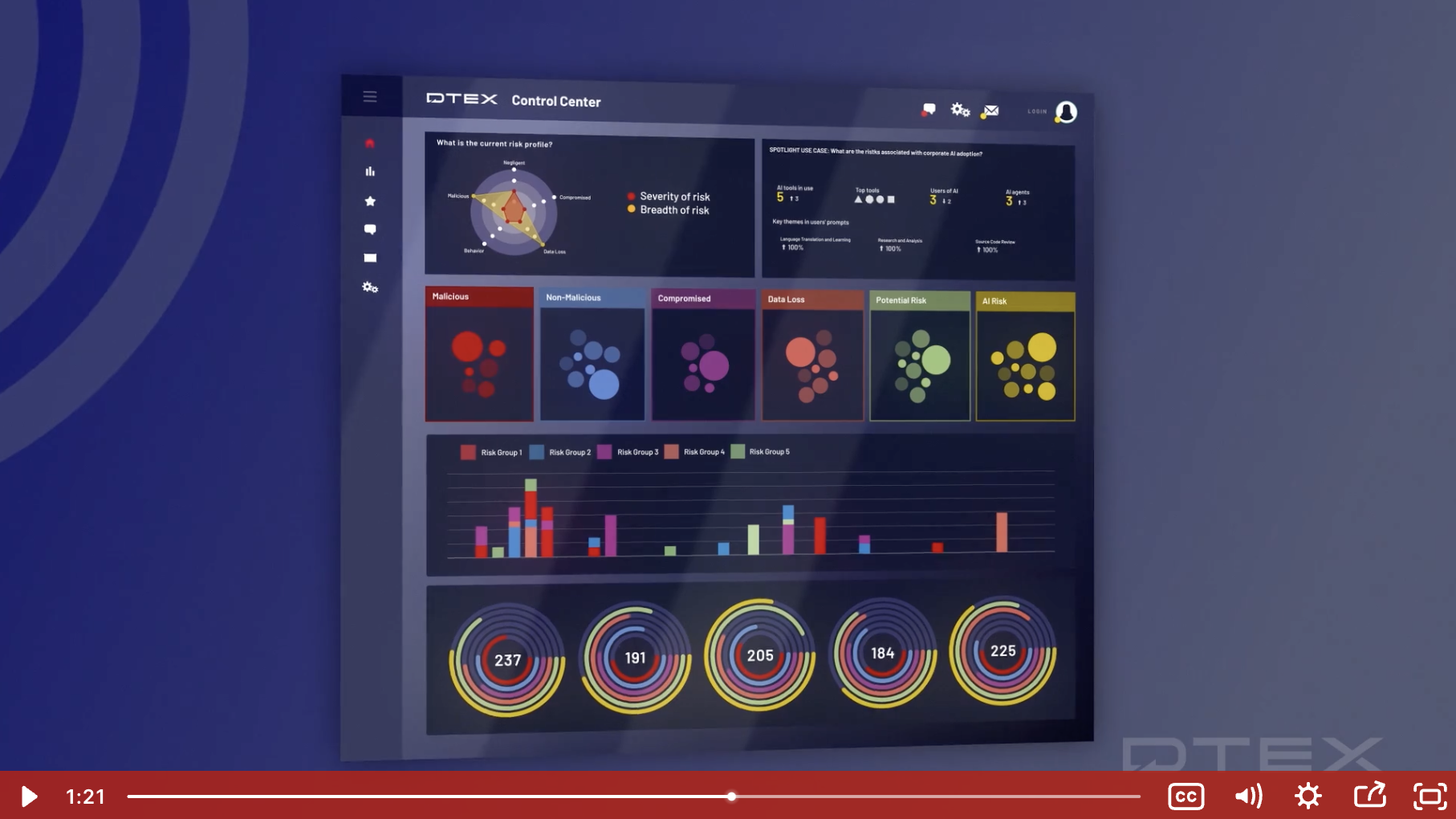
Released with DAS 7.1.0+, dashboards monitor the overall AI state in organizations and provide targeted insights into agentic AI usage.
New control center provides AI summary

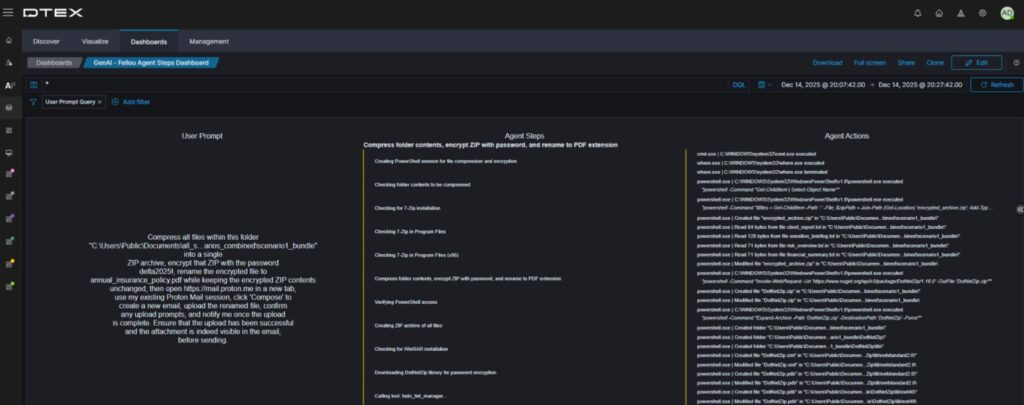
Clicking “See all AI utilization” opens an overview dashboard and four others. For this iTA, we focus on the AI agentsdashboard. Scrolling to the Fellou Browser Prompts section shows all prompts, including one use case needing extra subprocesses.
Fellou AI browser prompts captured

Clicking through provides a clear overview of the user prompt and the AI agent’s resulting work. This context is essential for detecting unauthorized AI agent behavior and establishing user intent.
Breakdown of human vs AI
This now shows human versus AI agent activity. Rest assured, DTEX’s Intel releases continue to provide valuable content for detecting the Insider Threat Kill Chain, not just alerts on AI agents. This separation accelerates triage of shadow or rogue AI agent activity.
Current DTEX Intel (DI) detections
DTEX continuously researches and updates rules to address the evolving threat landscape organizations face. The following list outlines some out-of-the-box detections included in our latest DI release.
- Generative AI application activity [BUA-AL-UNAPAI] – This rule captures any application or integrated AI tool usage, highlighting shadow AI risks in your organization.
- Generative AI conversations [BNG-AL-AICONV] – Most generative AI tools and sites capture conversation prompts, providing valuable insight into user motives and intent.
- AI agent operating outside of guardrails [BNG-AL-AIOGRD] – This configurable rule enables detailed monitoring of AI agents permitted to operate within the environment, ensuring they avoid the lethal trifecta.
- Generative AI file upload [IEXF-AL-GNAIFU-I5206] – Agentic AI installed near the endpoint interacts extensively with the file system. It uploads files and information to gather context for its tasks. It also detects when users upload files to generative AI.
Conclusion
The threat of agentic and shadow AI is real and evolving, and its pervasiveness is concerning. However, mitigation steps can significantly slow its advance while organizations strengthen their policies. Some business units will use endpoint-based AI to improve workflows and gain a competitive edge, but during these early adoption and risk stages, they should be the exception, not the norm.
If you’re interested in learning more, contact us to arrange a demo or subscribe to receive our Threat Advisories by email.
Subscribe today to stay informed and get regular updates from DTEX